KYC Workflow Orchestration
No code, no engineering. Build verification that adapts to every user
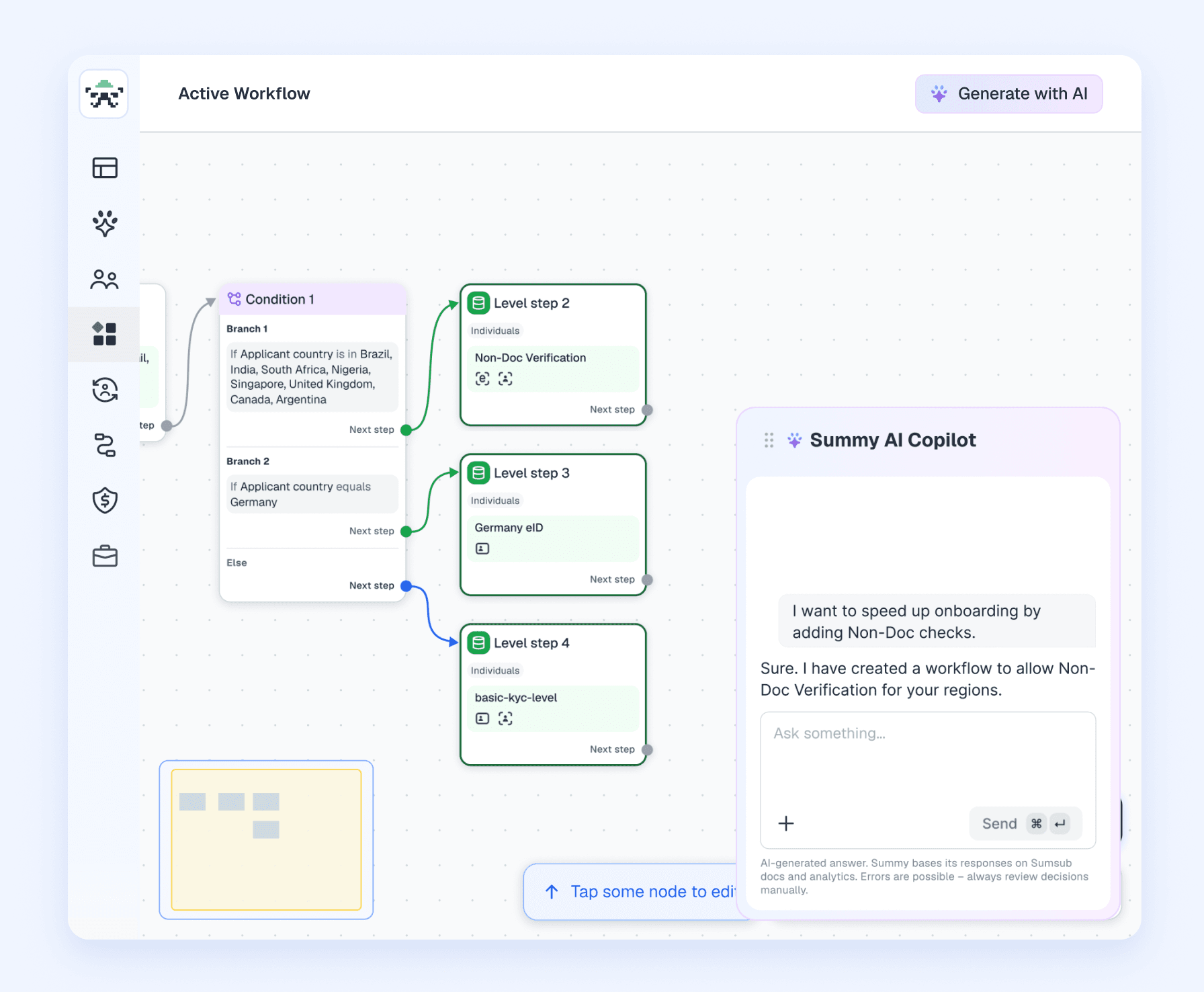
Build a working flow in minutes with AI
Hand your policy to an AI agent
- No workflow goes live before a human approves it
- Works with leading models, including Claude and ChatGPT
- Open-source agent skills are published on GitHub for teams that want to build on this integration
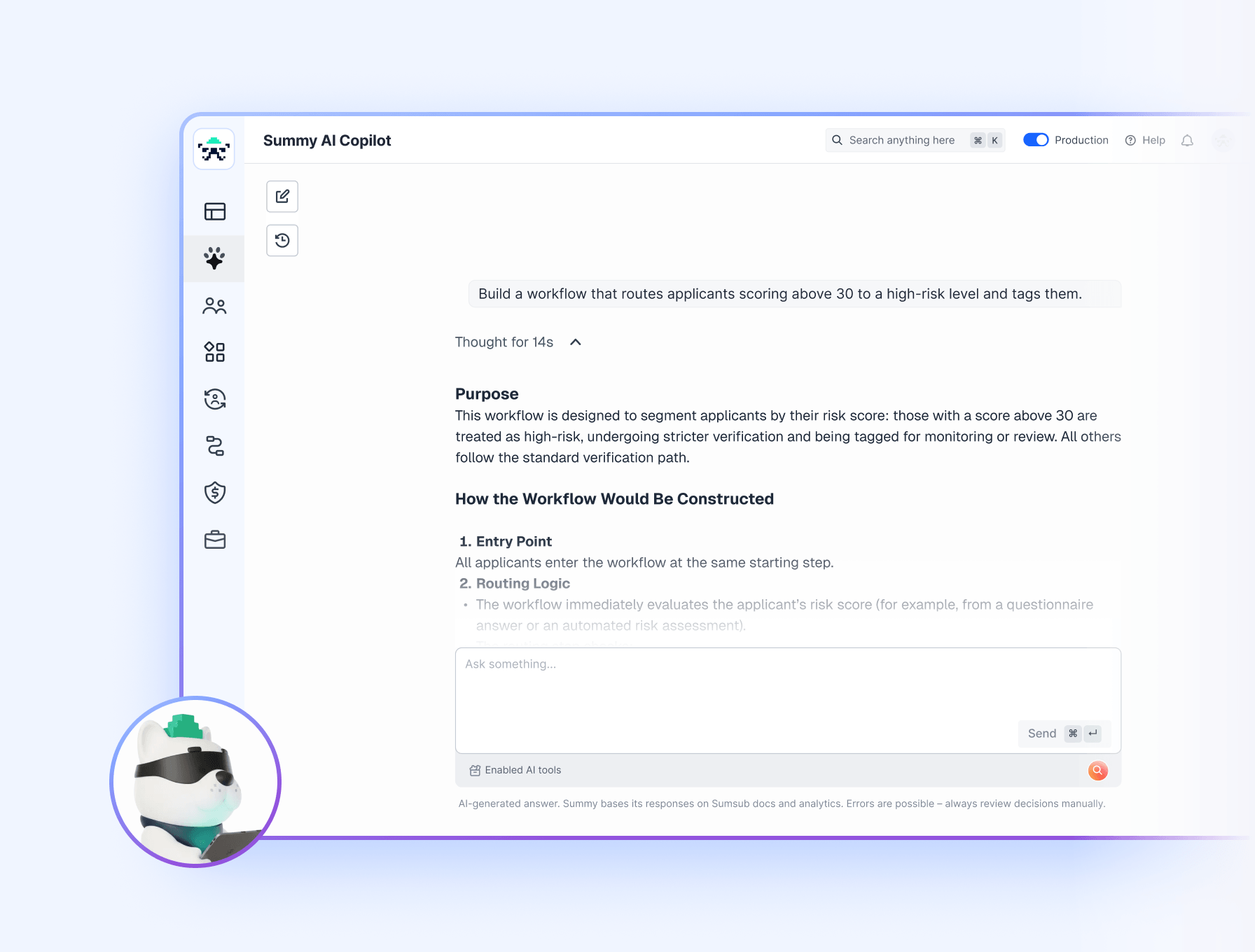
Describe it to Summy AI
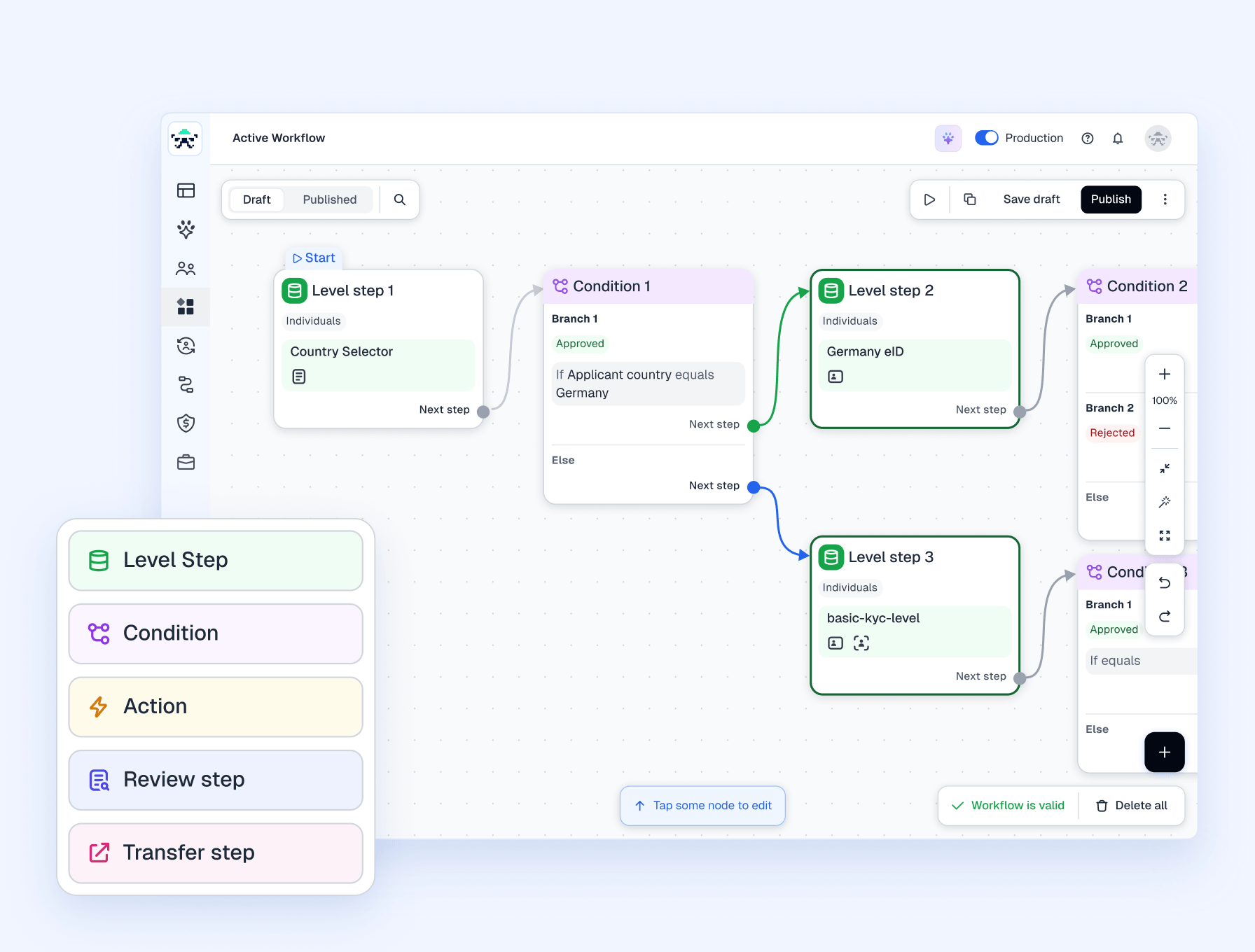
Drag and drop your workflow
How much of the review queue could you automate?
Walk through your own use case with our team and see the exact workflow we’d recommend for your users, markets, and requirements.
Configure the rules behind every decision
Don’t take our word for it.
Here’s what our clients have to say
- Since we started using Sumsub, our onboarding time has improved significantly. Median verification time decreased by 95%, with new users now able to complete verification in 12 seconds. Following integration with Sumsub, our pass rate grew by 70%.
 Elkhan NasibovExecutive Director and Chief Compliance Officer at Guavapay
 - Regarding pass rates and onboarding time, we did expect significant improvements in these areas, but the difference Sumsub made far exceeded our expectations.
 Theodoros PhotiouGlobal Head of Compliance at Libertex
 - There has been an immense change. The pass rate has essentially been inverted. It was a 90% failure, and now we have a 94% pass rate.
 Diana AriasHead of Compliance at Rise
 - "Sumsub's specific competence in this area complement our existing compliance routines very well. They have been able to customize KYC document screening to fit our specific flows and need."
 Maria FedorovaCOO at Exness
 - Sumsub made our verification process over 20 times faster and increased our pass rate to 95%. Although our operational costs have increased with verification fees, the trust and confidence gained from our verified users have led to a 30% increase in the deposit rate for new users, offsetting these costs and boosting our revenue.
 Mike PutolDPO at Winzir
 - Since integrating Sumsub, we have seen clear and positive results from day one. Most applicants are processed within seconds, and the pass rate exceeds 90%. Based on these performance metrics, we are pleased with the improvements in our onboarding process.
 Chloe TsaiHead of Legal at WOO X
Let the numbers do
the talking
Platforms and operators that work with Sumsub save costs and get 240% ROI on average, according to the “Total Economic Impact™ Of Sumsub’s Verification Platform” study by Forrester Consulting.
FAQ
What is the ideal KYC workflow, step-by-step?
There isn’t a one-size-fit-all for workflows. Every use case, industry and market calls for a different set of rules and conditions. Luckily, we have a library of ready-made and tested workflow examples to help you get started.
What is the KYC process (cycle)?
Customer onboarding that new users must undergo in order to gain access to a product or service, usually with the help of automated identity verification software. Depending on your business and jurisdiction, your users need to verify during sign-up and/or at later stages.
What aspects of customer onboarding can you automate?
It’s possible to automate every step of the onboarding process with an automated client onboarding tool, including document verification, background checks, and identity confirmation.
What is client onboarding software?
Client onboarding software (also known as “orchestrated customer onboarding software”) can be a KYC/AML platform like Sumsub, designed to ensure that the user is who they claim to be and isn’t involved in any fraud or money laundering activity.
Do I need developers to build or change a verification workflow?
No. Sumsub’s Workflow Builder gives you the option to use a visual drag-and-drop canvas, AI agents of your choice or built in Summy AI to build flows, so a compliance or operations team member can set the triggers, conditions, and actions themselves without writing code. When your requirements change, you can update a live workflow directly in the dashboard, so you are not waiting on an engineer to adjust your verification logic.
Which data points can I use to decide what checks a user goes through?
Sumsub’s Workflow Builder can branch on any data point, including country, device information, IP address, payment details, and custom triggers that you specify. This lets you apply the right checks to each person based on the signals that matter for your own risk policy, so the verification each applicant sees reflects their risk profile.
Can I run different verification workflows for several countries or user groups at once?
Yes. Sumsub’s Workflow Builder lets you set conditions that route each applicant into the path that fits their country, user group, or risk level.
How quickly can I update a workflow when regulations or policies change?
Sumsub’s Workflow Builder lets any team members with the right permissions edit a workflow directly in the dashboard, so when a rule or an internal policy changes you can adjust the conditions and actions yourself and publish the update without a development cycle. You can also test the change against real activity before it goes live, which helps you confirm it works as intended.